Table of Contents
For many, the best way to become familiar with the capabilities of the SGL library is through examples. This chapter provides several simple examples that showcase the SGL's capabilities.
Example 4.1 models a simple traffic light. The signal changes when the user depresses the mouse button over the window. The program provides a good example of drawing simple shapes and responding to user input via a pointing device.
Example 4.1. Traffic Light Simulation
#include <GL/sgl.hpp>

//  Color constants used by the traffic light
const int red    = 0,
          green  = 1,
          yellow = 2;

class TrafficLightWindow : public sgl::Window {
    int color;  //  Traffic light's current color
public:
    //  Light's initial color is red
    TrafficLightWindow() : sgl::Window("Traffic Light", 300, 600),
                                       color(red) {}
    void paint() override {
        //  Draw the frame
        sgl::set_color(sgl::GRAY);
        sgl::fill_rectangle(50, 25, 200, 550);

        //  Draw the red lamp
        if (color == red)
            sgl::set_color(sgl::RED);
        else
            sgl::set_color(sgl::BLACK);
        sgl::fill_circle(150, 475, 70);
        //  Draw the yellow lamp
        if (color == yellow)
            sgl::set_color(sgl::YELLOW);
        else
            sgl::set_color(sgl::BLACK);
        sgl::fill_circle(150, 300, 70);
        //  Draw the green lamp
        if (color == green)
            sgl::set_color(sgl::GREEN);
        else
            sgl::set_color(sgl::BLACK);
        sgl::fill_circle(150, 125, 70);
    }

    void mouse_pressed(double, double, sgl::MouseButton) override {
        //  Update light's current color
        color = (color + 1) % 3;
        repaint();
    }
};

int main() {
    sgl::run<TrafficLightWindow>();
}
Figure 4.1 is a screenshot of the
traffic light application.
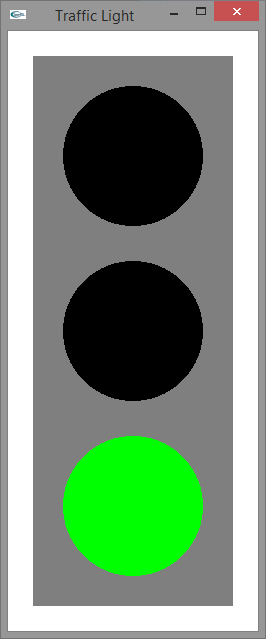
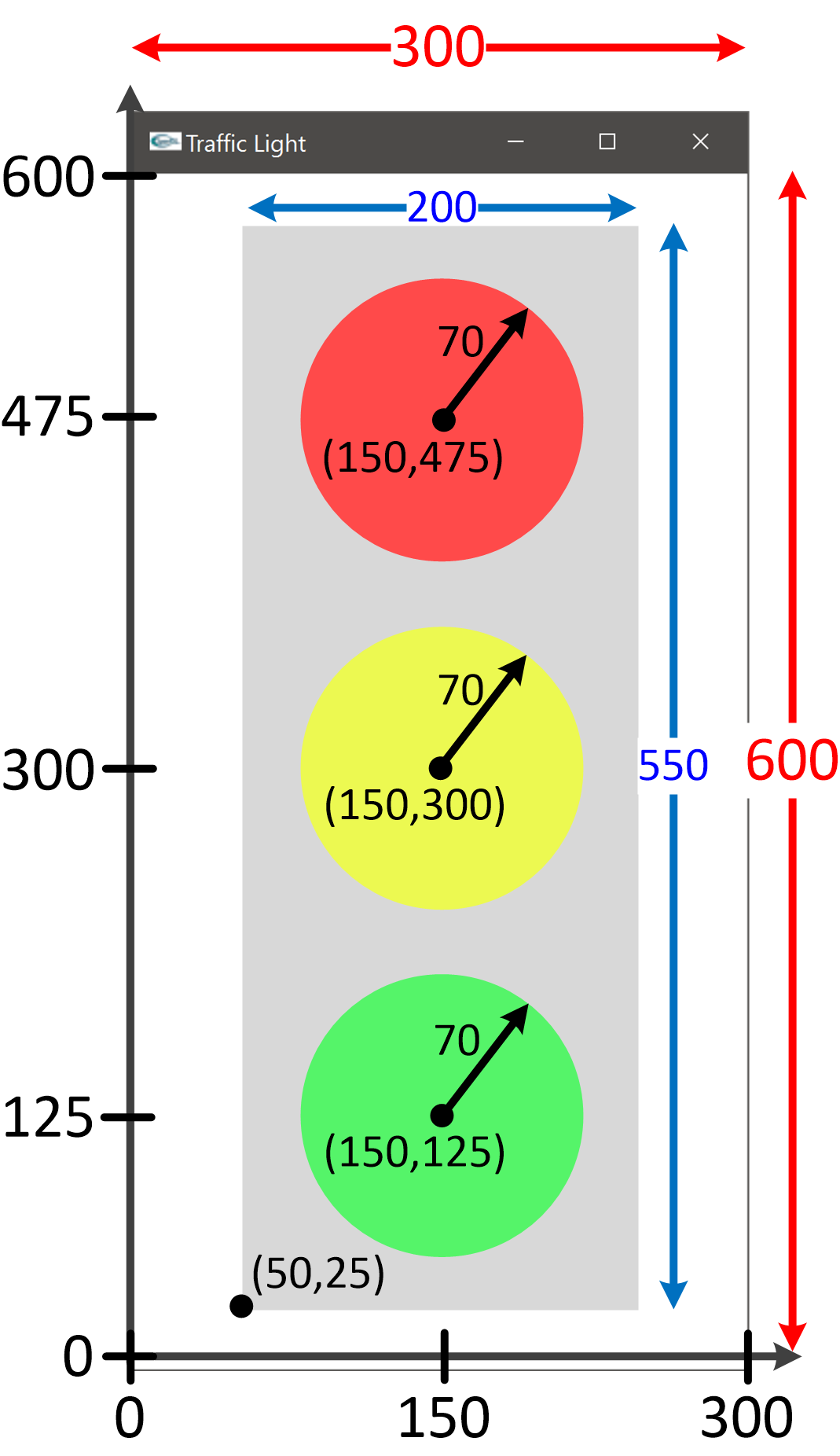
Figure 4.2 illustrates the design of the traffic light
layout. Compare the numbers on the diagram to the arguments passed in the
fill_rectangle and fill_circle function calls.